'%20fill='url(%23cc-green)'%20stroke='url(%23cc-green)'%3e%3cpath%20d='M60%20102h44l70%20112'%20fill='none'%20stroke-width='38'%20stroke-linecap='round'%20stroke-linejoin='round'/%3e%3crect%20x='142'%20y='128'%20width='328'%20height='212'%20rx='76'%20stroke='none'/%3e%3cpath%20d='M388%20300l62-24%202%2072z'%20stroke-width='20'%20stroke-linejoin='round'/%3e%3ccircle%20cx='222'%20cy='410'%20r='32'%20stroke='none'/%3e%3ccircle%20cx='372'%20cy='410'%20r='32'%20stroke='none'/%3e%3c/g%3e%3c/svg%3e) ChatCart
ChatCart
Use ChatCart
Stores and domains
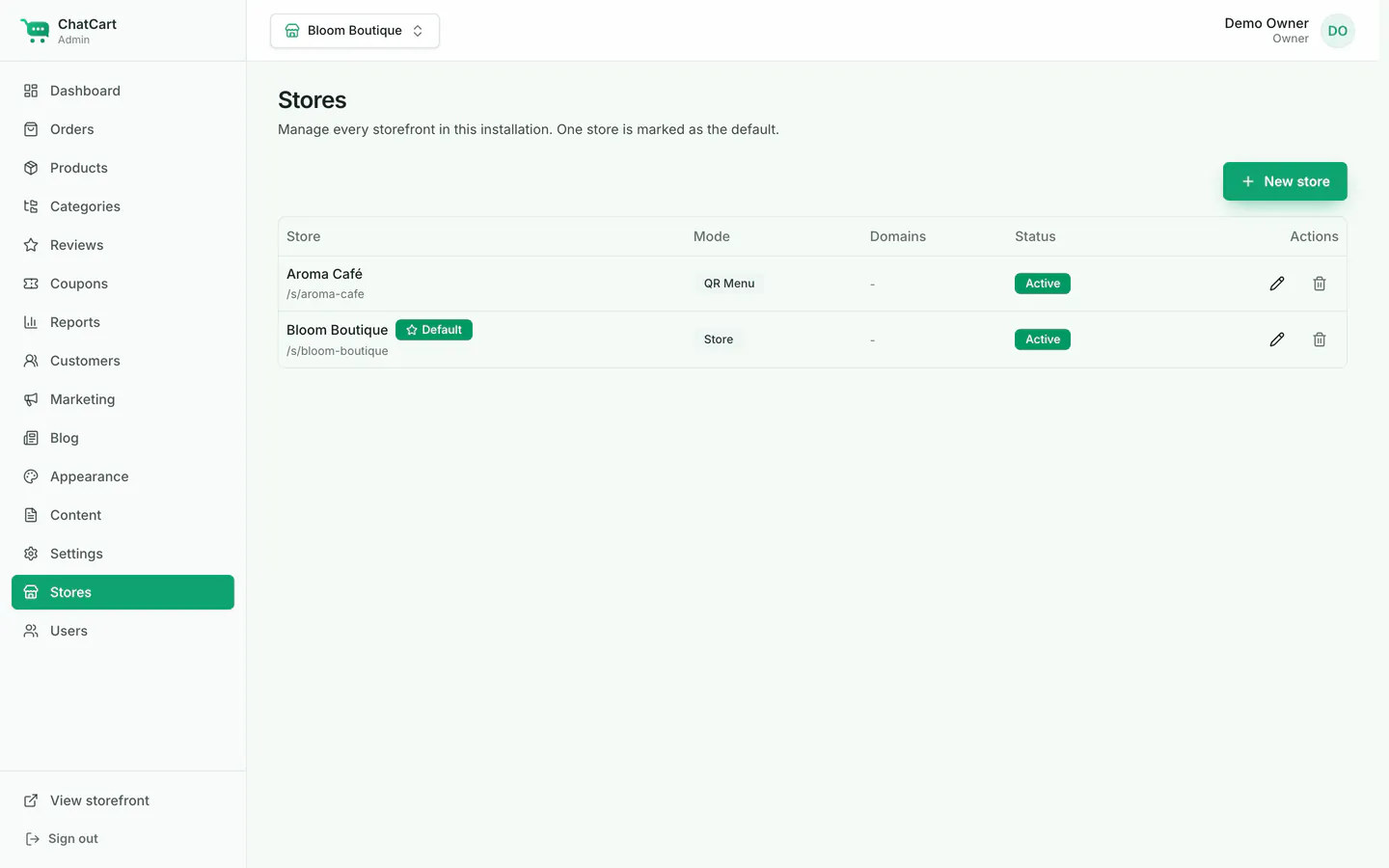
One install can run many stores. Each store has its own products, orders, WhatsApp number, brand, currency, languages and message template. When a visitor opens a page, ChatCart picks the store like this:
-
Store address: every store works at
https://your-site.com/s/<slug>, with no extra setup. The demo café is at/s/aroma-cafe. -
Custom domain: in Stores, edit the store and add the domain
(for example
menu.example.com). Point the domain's DNS to your server, and set up HTTPS for it. Your web server must pass the originalHostheader to ChatCart (the Nginx example in Deployment does). -
QR menu tables: in QR menu mode, print a QR code per table that links to
/qr?table=5on the store's domain (for examplehttps://menu.example.com/qr?table=5). The table number is filled in at checkout.