ChatCart never takes a payment. It turns the cart into a WhatsApp message, and it saves the same
order in your admin. You agree on payment with the customer in the chat (cash, bank transfer, a
payment link, and so on).
Steps 5 and 6 happen even if the customer never taps Send in WhatsApp, so every order is in your
admin.
What the server checks
Prices: always taken from the database, never from the browser.
Stock: an order that would sell more than you have is refused, and the customer
sees how many are left.
Coupons: checked again at checkout. If a coupon is no longer valid (expired,
used up, or over its limit per customer), the customer sees a message.
Fulfillment: a delivery type the store has turned off is refused, and a
delivery zone is required when the store has zones.
Changed prices: if a price changed since the item was added to the cart, the
customer sees the new total before ordering.
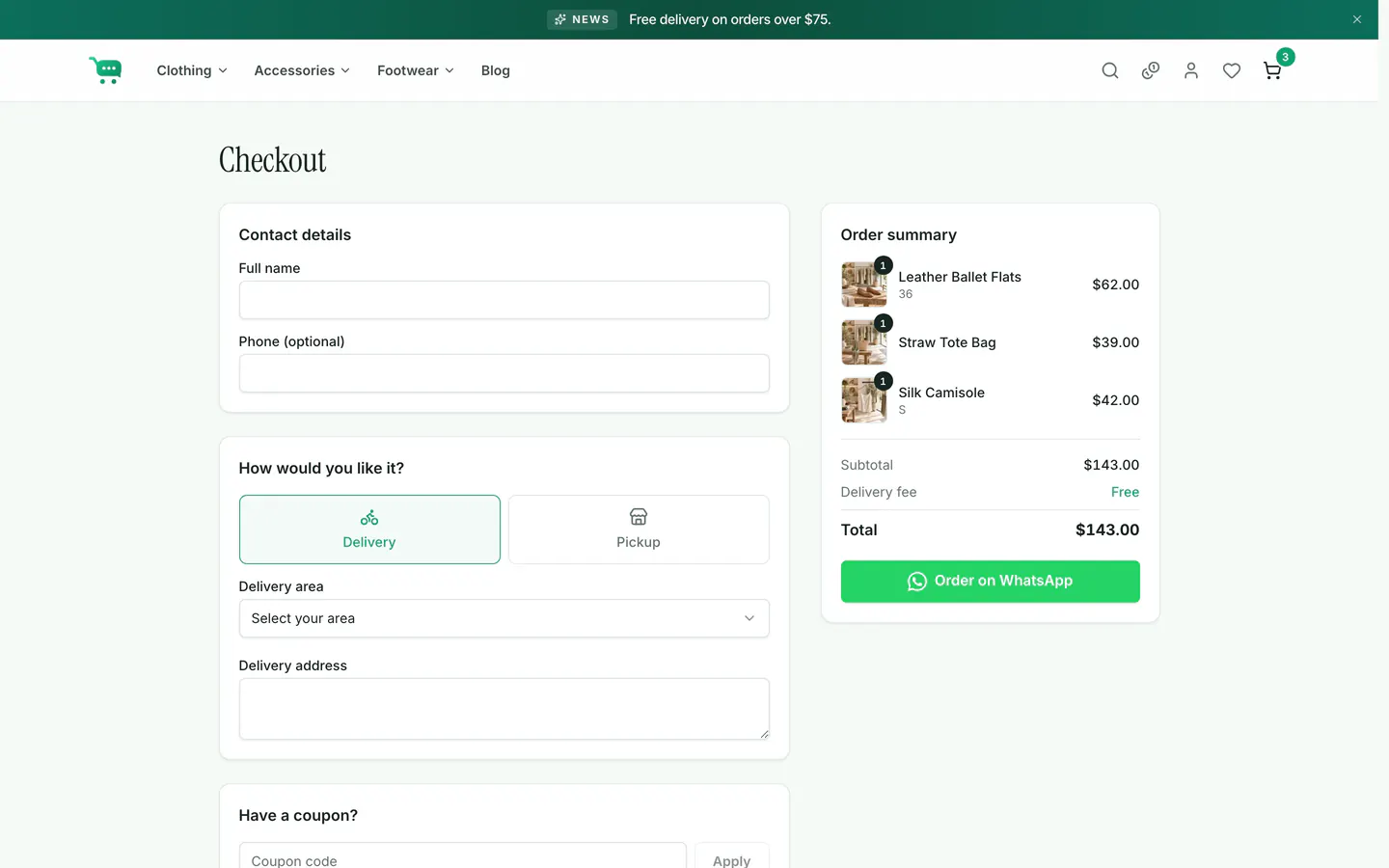
Checkout on the storefront.
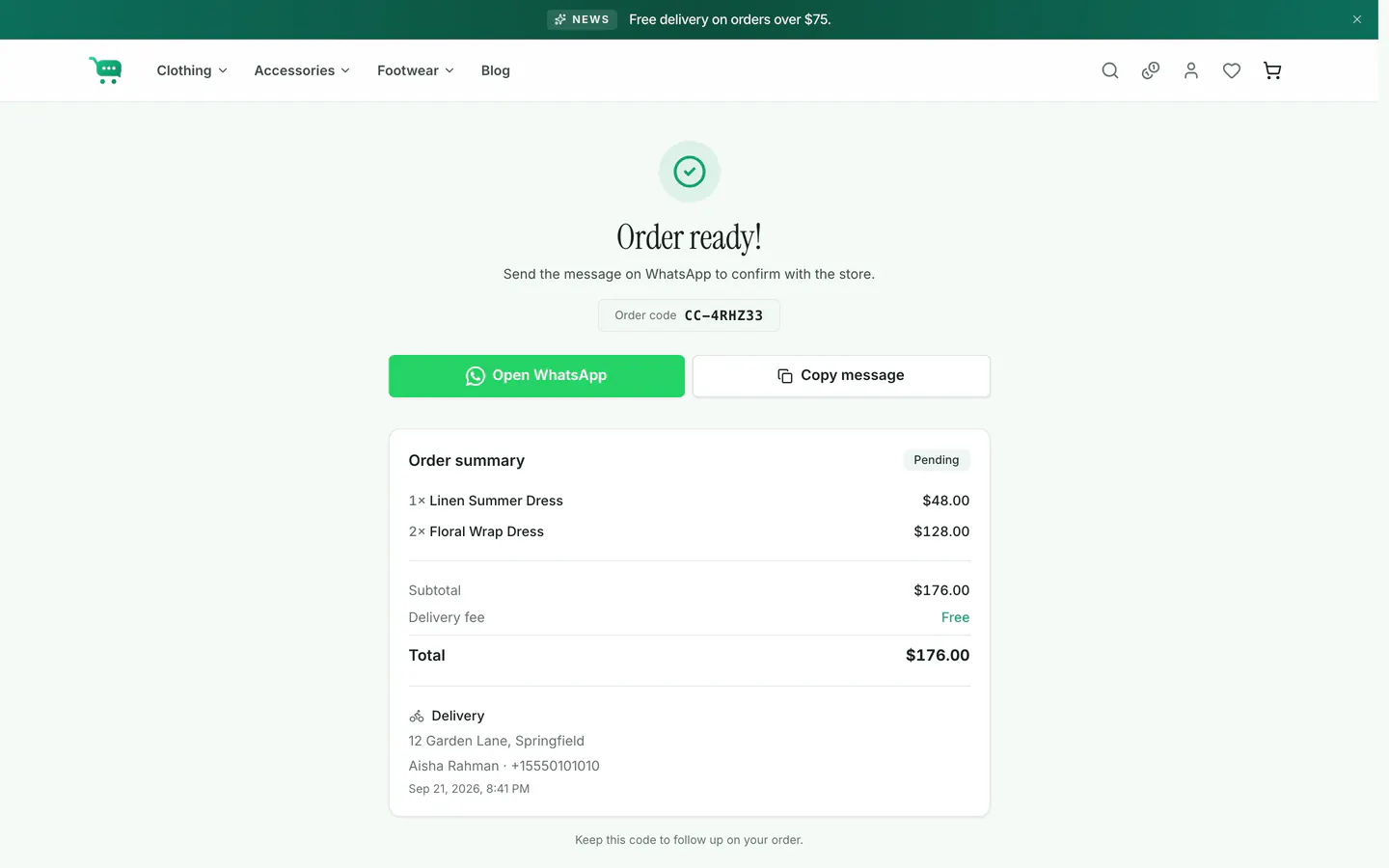
The confirmation page. Open WhatsApp opens the message again;
Copy message helps when pop-ups are blocked.
'%20fill='url(%23cc-green)'%20stroke='url(%23cc-green)'%3e%3cpath%20d='M60%20102h44l70%20112'%20fill='none'%20stroke-width='38'%20stroke-linecap='round'%20stroke-linejoin='round'/%3e%3crect%20x='142'%20y='128'%20width='328'%20height='212'%20rx='76'%20stroke='none'/%3e%3cpath%20d='M388%20300l62-24%202%2072z'%20stroke-width='20'%20stroke-linejoin='round'/%3e%3ccircle%20cx='222'%20cy='410'%20r='32'%20stroke='none'/%3e%3ccircle%20cx='372'%20cy='410'%20r='32'%20stroke='none'/%3e%3c/g%3e%3c/svg%3e) ChatCart
ChatCart